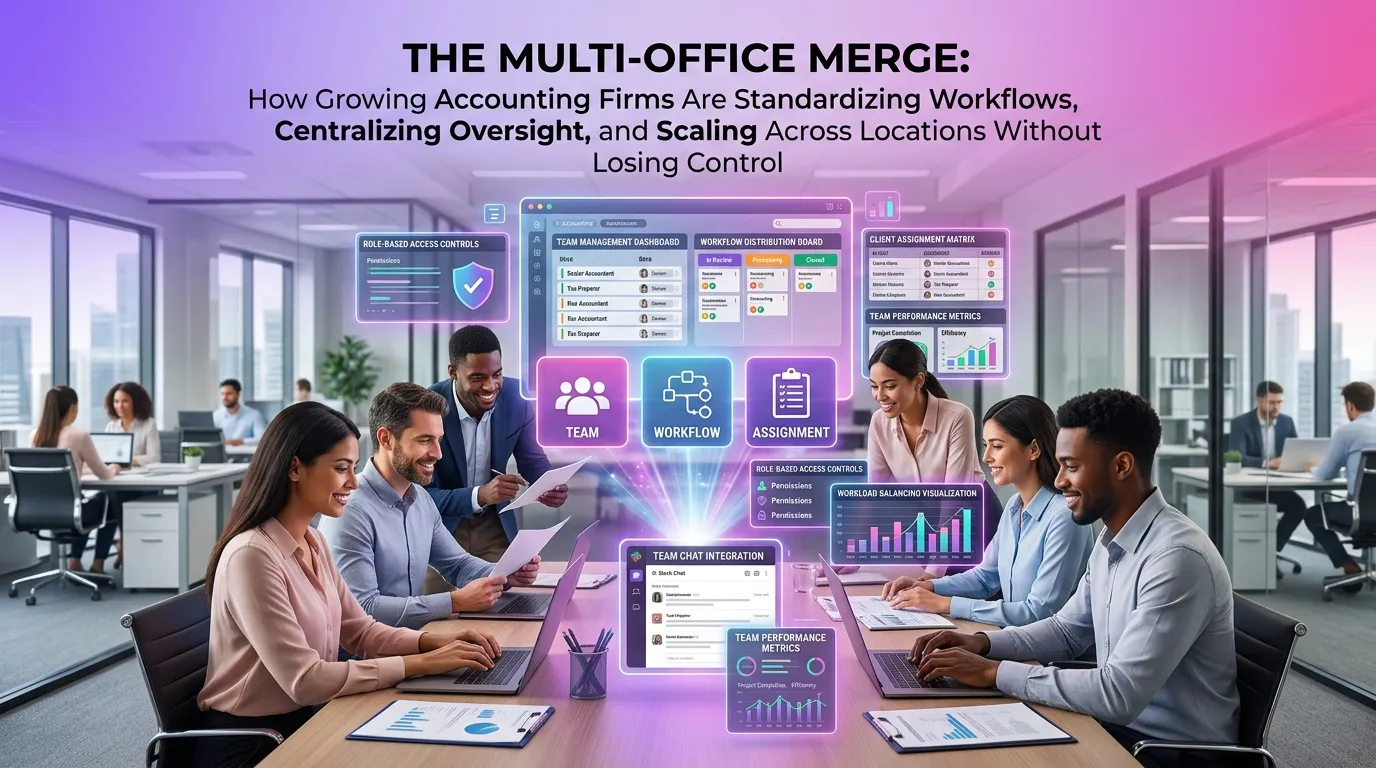
The Multi-Office Merge: How Growing Accounting Firms Are Standardizing Workflows, Centralizing Oversight, and Scaling Across Locations Without Losing Control
Mergers and multi-location expansions are reshaping the accounting landscape at a remarkable pace. Whether through strategic acquisitions, organic growth, or regional partnerships, firms that once operated from a single office now find themselves managing teams across multiple cities — sometimes across multiple states. The challenge is no longer just about growing revenue; it's about growing intelligently, with the systems and workflows in place to ensure every office delivers the same standard of service without requiring constant oversight from the top.
For many firm leaders, the excitement of expansion quickly gives way to operational anxiety. Disparate software tools, inconsistent client onboarding processes, siloed staff communications, and fragmented tax return workflows can turn a promising merger into an administrative headache. The firms that scale successfully are those that invest early in centralized, scalable infrastructure — and that means rethinking how workflow management works across every location.
Why Multi-Office Accounting Firm Workflow Management Is the Growth Bottleneck No One Talks About
Most conversations about accounting firm growth focus on client acquisition, talent hiring, and service diversification. Workflow management rarely gets the spotlight it deserves — until something breaks. When a firm grows from one to three offices, the cracks in ad hoc processes become fault lines.
Consider a common scenario: two firms merge, each with its own way of handling tax return preparation, client document collection, and internal review sign-offs. After the merger, staff in each office continue doing things "their way," resulting in inconsistent turnaround times, duplicated work, and confused clients who receive different experiences depending on which office they call. Without a unified workflow system, the merged entity is operationally two separate firms sharing a name — not one cohesive practice.
According to the American Institute of CPAs (AICPA), firm mergers and acquisitions have been accelerating, with many mid-size practices combining to compete with national players. The firms that successfully integrate are those that prioritize process standardization from day one — not as an afterthought six months after the ink dries.
The Three Pillars of Successful Multi-Office Workflow Standardization
Scaling across locations without losing quality or control requires deliberate action in three interconnected areas: process standardization, centralized visibility, and role-based accountability. Each pillar supports the others, and weakness in any one of them creates operational drag.
1. Standardizing Processes Across Every Location
The first step is agreeing on a single way to do things — from how a new client is onboarded to how a tax return moves through review and delivery. This doesn't mean eliminating flexibility entirely, but it does mean defining a baseline workflow that every office follows.
Effective standardization includes documenting every stage of the tax preparation lifecycle: engagement letter issuance, document collection, data entry, preparer review, manager review, partner sign-off, and e-file submission. Each stage should have a clear owner, a defined deadline, and a handoff protocol. When these steps are embedded in your workflow platform rather than living in someone's inbox or memory, consistency becomes automatic rather than aspirational.
Firms that use a dedicated tax firm automation platform can build these standardized workflows once and deploy them across all offices simultaneously — ensuring that a client in your Dallas office receives the same process quality as a client in your Denver office.
2. Centralizing Oversight Without Micromanaging
One of the most common fears among managing partners of multi-office firms is losing visibility into what's happening at each location. The instinct is often to over-correct — scheduling frequent check-in calls, demanding detailed status reports, or requiring all key decisions to route through a central authority. This creates bottlenecks and frustrates local office managers.
The better approach is centralized oversight through data, not through meetings. When every task, deadline, and workflow stage is tracked in a single platform, firm leaders can see the status of every return, every client file, and every team member's workload from a single dashboard — without interrupting anyone's day to ask for updates.
This kind of real-time visibility also makes it easier to identify capacity issues before they become crises. If your Austin office is falling behind on returns in week three of tax season while your Phoenix office has bandwidth to spare, a centralized dashboard surfaces that imbalance immediately — giving leadership the information needed to redistribute work before deadlines are missed.
3. Building Role-Based Accountability Across Teams
Accountability in a multi-office environment is complicated by geography. When a manager can't walk down the hall to check on a preparer's progress, clear role definitions and automated task assignments become essential.
A well-configured workflow system assigns tasks to specific roles — not just specific people — so that when someone is out sick or transitions off a client, work doesn't fall through the cracks. Automated reminders, escalation rules, and deadline alerts keep everyone moving without requiring a manager to manually chase updates.
The Journal of Accountancy has noted that one of the top challenges in growing CPA firms is maintaining quality control as headcount increases. Role-based accountability systems address this directly by embedding review checkpoints into the workflow itself — so quality isn't dependent on any single person remembering to double-check their work.
Common Multi-Office Workflow Failures (and How to Avoid Them)
Understanding where multi-office firms typically go wrong is just as valuable as knowing what to do right. The following are the most common workflow failures seen during and after firm expansions.
Siloed Technology Stacks
When each office uses different software — different tax prep tools, different document management systems, different CRM platforms — data doesn't flow cleanly between teams. Staff spend time re-entering information, searching for files in unfamiliar systems, or simply working around tools they weren't trained on.
Consolidating onto a unified platform, even if it requires a short-term transition period, pays significant dividends in efficiency, data accuracy, and team cohesion. The goal is one source of truth for every client file, every workflow stage, and every communication thread.
Inconsistent Client Communication Standards
Clients who work with a multi-office firm expect a consistent experience regardless of which location handles their account. When communication templates, response time standards, and portal access methods vary by office, it erodes client confidence and increases the likelihood of misunderstandings.
Standardized client communication workflows — including automated status updates, document request notifications, and delivery confirmations — ensure that every client interaction reflects the firm's brand and service standards, not the individual habits of whichever staff member happened to send the last email.
Delayed Escalation Paths
In a single-office firm, a preparer who encounters a complex tax situation can quickly walk over to a senior reviewer for guidance. In a multi-office environment, that same situation can stall for days if escalation paths aren't clearly defined and built into the workflow system.
Firms should configure explicit escalation rules: if a return hasn't advanced past the review stage within a defined number of hours, it automatically flags for manager attention. This prevents delays from compounding silently across dozens of returns during peak season.
How Technology Enables Multi-Office Accounting Firm Workflow Management at Scale
The operational challenges of multi-office management aren't new — but the technology available to address them has advanced dramatically. Modern tax firm platforms go far beyond simple task lists and shared calendars. They offer intelligent workflow automation, real-time dashboards, integrated document management, and role-based access controls that make distributed team management genuinely practical.
Key features to look for when evaluating a platform for multi-office use include:
- Centralized client records accessible to authorized staff across all locations
- Customizable workflow templates that can be standardized firm-wide or adapted for specific service lines
- Real-time progress tracking with status visibility at the firm, office, team, and individual levels
- Automated task assignments and reminders that reduce manual follow-up
- Integrated deadline management tied to IRS and state tax authority calendars
- Audit trails and review logs for compliance and quality control purposes
Firms that implement these capabilities report significant reductions in missed deadlines, rework, and staff frustration — particularly during the high-volume periods of tax season when coordination failures are most costly.
It's also worth noting that compliance requirements don't pause during firm growth. The IRS expects consistent, accurate filings regardless of how many offices a firm operates. Technology that builds compliance checkpoints directly into the workflow helps firms meet those expectations even as their operational complexity increases.
Building a Culture of Consistency Across Locations
Technology is a powerful enabler, but it only works when the people using it are aligned around shared goals and standards. Multi-office firms that succeed long-term invest in building a unified culture — one where staff in every location understand the firm's values, service standards, and operational expectations.
This starts with onboarding. Every new hire, regardless of location, should receive the same introduction to the firm's workflows, tools, and service philosophy. It continues with regular cross-office communication — not just leadership-to-staff broadcasts, but peer-to-peer connections that help staff in different locations feel like part of one team rather than isolated outposts.
Firm leaders should also create feedback loops that surface workflow friction from the ground level. The staff members doing the day-to-day work in each office are often the first to notice when a process isn't working — and their insights are invaluable for continuous improvement.
Planning Your Multi-Office Workflow Integration: A Practical Starting Point
If your firm is in the middle of a merger, planning an expansion, or simply recognizing that your current workflows aren't scaling well, here's a practical starting framework:
Step 1: Audit Current Workflows at Each Location
Before standardizing, you need to understand what you're working with. Document the current workflow at each office for your core service lines — tax preparation, bookkeeping, advisory, etc. Identify where the processes align, where they diverge, and where the biggest inefficiencies live.
Step 2: Define the Target Workflow Standard
Bring together representatives from each office to co-create the standardized workflow. This collaborative approach builds buy-in and surfaces practical considerations that top-down mandates often miss. The goal is a workflow that represents the best of what each office currently does — not simply imposing one office's habits on everyone else.
Step 3: Select and Configure Your Platform
Choose a platform that can accommodate your standardized workflows and provide the centralized visibility you need. Configure it thoughtfully — build in the review checkpoints, escalation rules, and deadline alerts that reflect your target workflow. Then start your free trial to test the configuration in a real environment before rolling out firm-wide.
Step 4: Train, Launch, and Iterate
Roll out the new workflow with comprehensive training for all staff. Set a clear go-live date, communicate it well in advance, and establish a feedback mechanism so issues can be surfaced and resolved quickly. Plan for a formal review at the 30- and 90-day marks to assess adoption and make refinements.
Frequently Asked Questions
What is multi-office accounting firm workflow management?
Multi-office accounting firm workflow management refers to the systems, processes, and technology used to coordinate, standardize, and oversee tax and accounting workflows across multiple office locations. It ensures that all offices follow consistent procedures, meet deadlines, and deliver a uniform client experience — regardless of geographic distance between teams.
How do accounting firms standardize workflows after a merger?
Post-merger workflow standardization typically involves auditing the existing processes at each firm, identifying best practices and gaps, co-creating a unified workflow standard, and deploying a centralized platform to implement and enforce that standard. The most successful integrations involve staff from all merging entities in the design process to ensure practical buy-in and adoption.
What technology do multi-office accounting firms need?
Multi-office accounting firms benefit most from platforms that offer centralized client record management, customizable workflow templates, real-time progress dashboards, automated task assignments and reminders, integrated deadline tracking, and role-based access controls. These features collectively enable distributed teams to operate with the coordination and visibility of a single-office practice.
How can a firm maintain quality control across multiple locations?
Quality control in a multi-office environment is best maintained through workflow-embedded review checkpoints, automated escalation rules, and centralized audit trails. When every return must pass through defined review stages — and when managers can see the status of every file in real time — quality becomes a systemic outcome rather than a function of individual diligence.
How long does it take to standardize workflows across multiple offices?
The timeline varies depending on the number of offices, the complexity of existing workflows, and the technology being implemented. Most firms can complete an initial workflow standardization and platform rollout within 30 to 90 days. Full cultural adoption — where every team member consistently follows the new processes — typically takes one to two full tax seasons to solidify.
Ready to bring your multi-office firm into alignment? TaxFlow by MultidexTech is purpose-built for accounting firms that need centralized control without sacrificing local agility. From customizable workflow templates to real-time firm-wide dashboards, TaxFlow gives growing firms the infrastructure to scale confidently. Start your free 14-day trial today — no credit card required — and see how unified workflow management transforms the way your team works across every location. You can also view our pricing plans to find the right fit for your firm's size and growth stage.
```