
The Billing Bottleneck: How Mid-Size Tax Firms Are Automating Invoicing, Follow-Ups, and Collections Without Losing Client Relationships
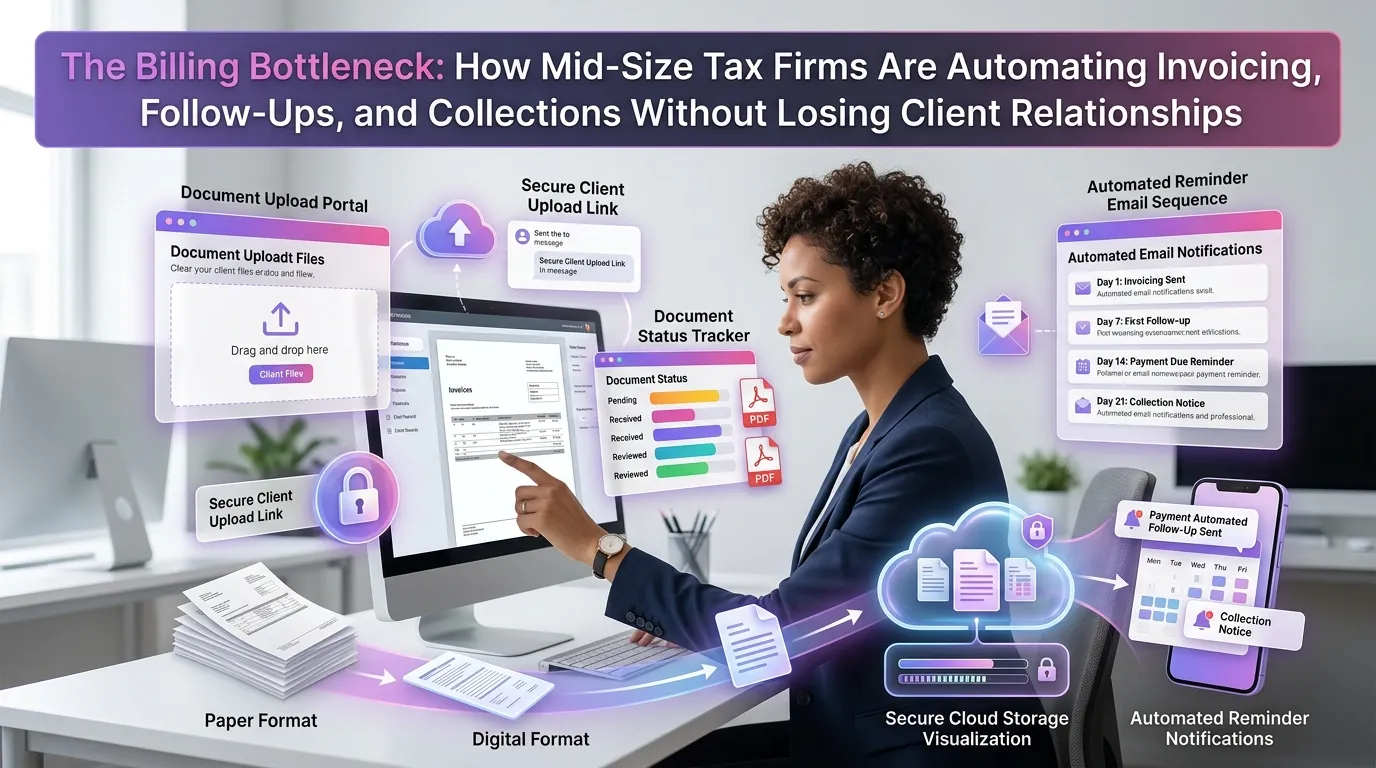
For many mid-size tax firms, billing is the silent revenue killer. Partners spend hours chasing unpaid invoices, administrative staff manually send follow-up emails, and clients occasionally slip through the cracks — all while the firm's core work continues to pile up. The good news is that accounting firm billing automation has matured to the point where it can handle the entire billing lifecycle without sacrificing the personal touch that clients expect from their trusted advisors.
Why Billing Is Still a Bottleneck at Mid-Size Tax Firms
Mid-size firms occupy an awkward middle ground. They're too large to manage billing through spreadsheets and manual follow-ups, but often lack the dedicated billing departments that larger firms maintain. The result is a fragmented process that costs real money.
According to the American Institute of CPAs (AICPA), accounts receivable management consistently ranks among the top operational challenges for accounting practices of all sizes. For firms with 10–75 staff members, the problem is especially acute because billing responsibilities often fall on the same people doing client work.
Common pain points include inconsistent invoicing schedules, delayed follow-ups on overdue accounts, no standardized escalation process, and partners personally making uncomfortable collection calls. Each of these issues drains time, strains relationships, and leaves money on the table.
What Accounting Firm Billing Automation Actually Looks Like
Modern billing automation isn't about replacing your team — it's about removing the repetitive, low-value tasks that consume their time. A well-configured tax firm automation platform can handle invoice generation, delivery, reminders, and escalations through a series of rules-based triggers and scheduled workflows.
Here's what a fully automated billing workflow typically covers:
Automated Invoice Generation
When a client engagement reaches a predefined milestone — a completed tax return, a signed engagement letter, or a project phase — the system automatically generates an invoice based on the agreed scope and rate. This eliminates the lag time between work completion and billing that plagues most firms.
Templates pull client data, service descriptions, billing rates, and payment terms directly from the client record. Staff no longer need to build invoices from scratch or risk inconsistent formatting across the firm.
Scheduled Delivery and Payment Portals
Automated systems send invoices at optimal times — typically Tuesday through Thursday mornings — and include a direct link to a secure client payment portal. Clients can pay via ACH, credit card, or check, and the payment is automatically reconciled in the firm's accounting system.
This self-service approach reduces friction significantly. Clients don't need to call the office, mail a check, or wait for someone to process their payment manually.
Intelligent Follow-Up Sequences
When an invoice goes unpaid past its due date, the system initiates a pre-configured follow-up sequence. A friendly reminder goes out at 7 days, a firmer notice at 14 days, and an escalation alert at 30 days that notifies the responsible partner or billing manager.
The tone and frequency of these messages can be customized by client tier, relationship history, or invoice amount. A long-standing enterprise client might receive softer messaging than a newer client with no payment history.
The Relationship Risk — and How Automation Addresses It
The most common objection to billing automation in tax firms is the fear of damaging client relationships. "We're not a collection agency," partners often say. This concern is legitimate, but it reflects a misunderstanding of what good automation actually does.
Effective billing automation is designed to feel professional, not robotic. Messages go out under the partner's name, maintain the firm's brand voice, and are timed to avoid awkward moments like tax deadlines or known client stressors. The system handles the administrative friction so the human relationship can focus on advisory value.
Personalization at Scale
The best platforms allow firms to segment clients and apply different communication rules to each group. VIP clients might receive a personal call from a partner before any automated follow-up goes out. Smaller recurring clients might move through the full automated sequence without any manual intervention needed.
This tiered approach means the automation amplifies your team's judgment rather than replacing it. Staff spend their time on relationships that need a human touch, not on chasing invoices that a workflow can handle perfectly well.
Transparency Builds Trust
When clients receive consistent, clear, and timely invoices — rather than sporadic billing that sometimes arrives weeks after work is complete — it actually strengthens trust. Professionalism in billing signals professionalism in service delivery. Clients know exactly where they stand financially, which reduces confusion and disputes.
Collections Without Confrontation
Even with excellent follow-up automation, some invoices will age past 60 or 90 days. How a firm handles these situations can define the client relationship going forward — or end it entirely.
The Journal of Accountancy has noted that firms with documented collections policies and automated escalation workflows recover significantly more revenue than those relying on ad-hoc follow-up. Having a clear, consistent process removes the awkwardness from collections conversations because both parties understand the rules from the outset.
Escalation Rules and Holds
Billing automation platforms allow firms to set automatic escalation triggers. When an invoice crosses 45 days, the system can flag the account for partner review, pause new work orders for that client, or generate a formal past-due notice. These actions happen consistently, without anyone having to remember to check the AR aging report.
Service holds are particularly effective. When clients understand that unresolved invoices will pause their access to new services, they tend to prioritize payment. The policy enforces itself — no uncomfortable calls required.
Payment Plans and Partial Payments
For clients experiencing genuine financial hardship, automation can also support structured payment plans. The system generates installment invoices automatically, tracks partial payments, and adjusts the outstanding balance in real time. This gives clients a manageable path to resolution while the firm continues to recover revenue.
Integration With Your Existing Tech Stack
Billing automation doesn't work in isolation. The most effective implementations connect your billing workflows to your practice management system, document management tools, and accounting software. This creates a single source of truth for every client engagement and eliminates the double-entry that wastes staff time across disconnected systems.
Key integrations to look for include connections to QuickBooks, Xero, or Sage for accounting reconciliation; DocuSign or Adobe Sign for engagement letter automation; and your CRM for client communication history. When these systems talk to each other, billing becomes a natural output of the engagement workflow rather than a separate administrative task.
Compliance and Audit Trails
Automated billing systems maintain detailed logs of every invoice generated, every communication sent, and every payment received. This is particularly important for tax firms operating under professional standards set by bodies like the IRS or state licensing boards. A clean audit trail protects the firm in the event of a billing dispute and supports quality control reviews.
Measuring the ROI of Accounting Firm Billing Automation
Before implementing any new system, firm leaders want to understand the return on investment. Fortunately, billing automation delivers measurable results across several dimensions.
Days Sales Outstanding (DSO)
DSO — the average number of days it takes to collect payment after an invoice is issued — is the primary metric for billing efficiency. Firms that implement automated follow-up sequences typically reduce DSO by 20–40%. For a firm billing $3 million annually, shaving 15 days off DSO can free up $120,000 or more in working capital.
Staff Time Recaptured
When billing coordinators no longer spend hours each week manually sending reminders and chasing payments, that time goes back into billable or high-value administrative work. Many firms find that a single billing automation implementation effectively adds the equivalent of one part-time staff member's productive capacity.
Write-Off Reduction
Consistent follow-up reduces the likelihood that invoices age to the point of being written off. Firms with automated billing processes report lower annual write-off rates and stronger recovery on aged receivables. To explore how TaxFlow can deliver these outcomes for your firm, view our pricing plans and find the tier that fits your practice size.
Getting Started: A Practical Implementation Roadmap
Implementing billing automation doesn't have to be a months-long IT project. Most firms can achieve meaningful results within 30–60 days by following a phased approach.
Phase 1 — Audit your current process. Document how invoices are currently generated, delivered, and followed up. Identify the biggest time sinks and the stages where revenue most often stalls.
Phase 2 — Define your billing rules. Establish standard payment terms, follow-up intervals, escalation thresholds, and service hold policies. These rules become the logic that drives your automated workflows.
Phase 3 — Configure and test. Set up your automation platform, connect integrations, and run a pilot with a subset of clients before rolling out firm-wide. Use the pilot period to refine messaging tone and timing.
Phase 4 — Train and communicate. Brief your team on the new process and, where appropriate, let clients know about the improved billing experience they can expect. Transparency here prevents confusion when automated messages start arriving.
For more insights on optimizing your firm's operations, explore our blog for guides on workflow automation, client communication, and practice growth.
Frequently Asked Questions About Accounting Firm Billing Automation
Will automated billing feel impersonal to my clients?
Not if it's configured correctly. Modern billing automation platforms allow you to personalize messages with client names, partner signatures, and firm branding. You can also set rules that ensure high-value or sensitive clients receive human outreach before any automated message goes out. The goal is to handle routine communication automatically while preserving personal touchpoints where they matter most.
How does accounting firm billing automation handle disputed invoices?
Most platforms include a dispute flag or hold mechanism. When a client contests an invoice, staff can pause the automated follow-up sequence, log the dispute, and manage resolution manually. Once resolved, the sequence resumes or is closed based on the outcome. This ensures disputes don't escalate unnecessarily through automated channels.
Is billing automation secure for handling client financial data?
Reputable platforms use bank-level encryption, role-based access controls, and secure payment gateways that comply with PCI-DSS standards. Always verify that any platform you evaluate has clear data security documentation and does not store raw payment credentials on its servers.
What's the typical setup time for a billing automation system?
For most mid-size tax firms, a basic automated billing workflow can be configured and tested within two to four weeks. Full integration with practice management and accounting software may take four to eight weeks depending on the complexity of your existing tech stack and the availability of your IT resources.
Can automation handle retainer billing and recurring invoices?
Yes. Recurring billing is one of the strongest use cases for automation. You can set up monthly or quarterly retainer invoices to generate and deliver automatically on a fixed schedule, with payment links and reminders built into the sequence. This is especially valuable for firms offering ongoing advisory or bookkeeping services.
Ready to Eliminate Your Billing Bottleneck?
Billing should be a strength of your firm, not a source of stress. With the right automation in place, you can invoice faster, follow up consistently, and collect more revenue — all without putting client relationships at risk.
TaxFlow by MultidexTech is built specifically for tax and accounting practices that want to professionalize their operations without enterprise-level complexity. From automated invoice generation to intelligent follow-up sequences, TaxFlow gives your team the tools to run a tighter, more profitable practice.
Try it free for 14 days — no credit card required. Start your free trial today and see how much time and revenue your firm can reclaim.
Related Posts
The Bookkeeping Firm Growth Trap: How to Serve More Monthly Clients Without Drowning in Recurring Workflows
12 min read
The Bookkeeping Firm Growth Trap: How to Take On More Monthly Clients Without Drowning Your Team in Recurring Work
11 min read

The Hidden Cost of Chasing Documents: How Tax Firms Are Reclaiming Hours Lost to Follow-Ups and Missing Files
12 min read