
The Document Request Treadmill: How Tax Firms Are Breaking the Back-and-Forth Cycle That Kills Productivity
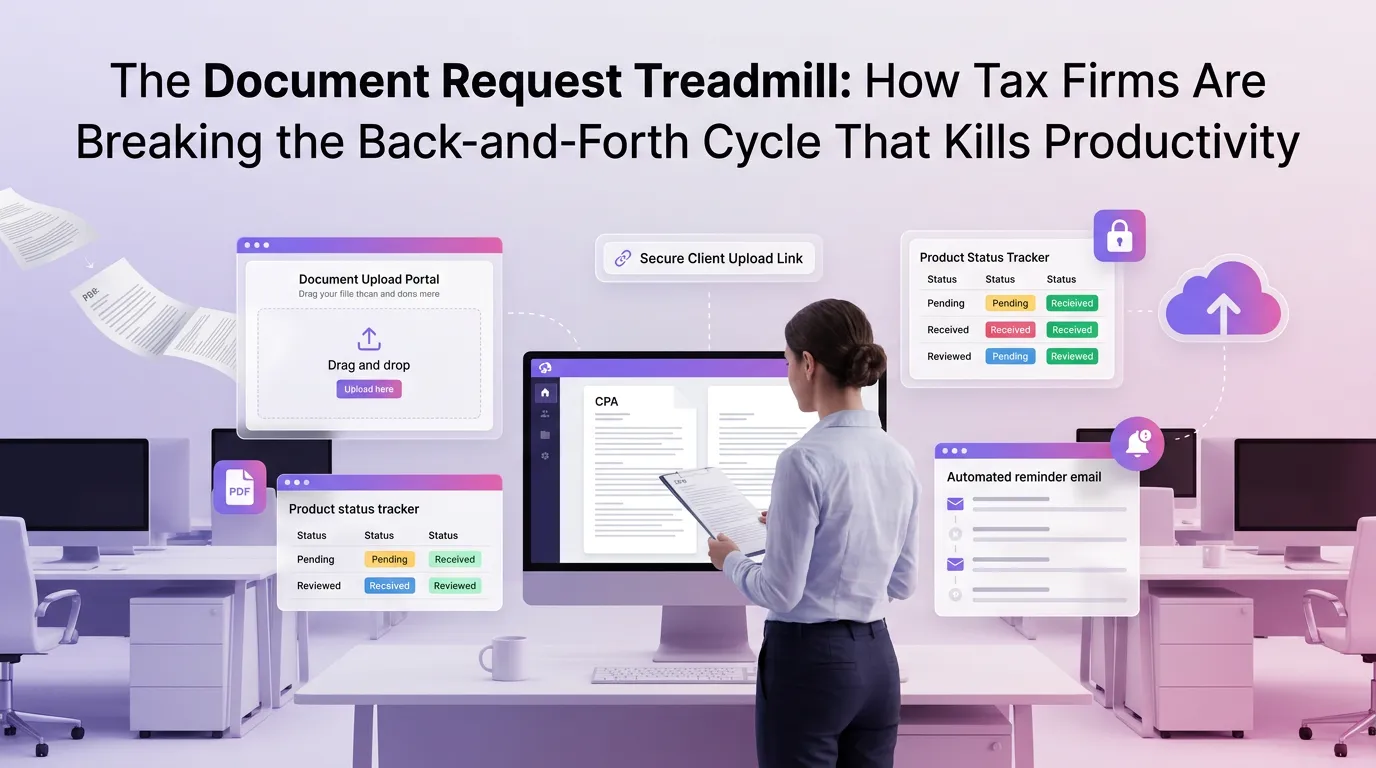
Every tax professional knows the feeling: you send a document request to a client, wait a week, send a reminder, wait another few days, receive half of what you asked for, follow up again — and somehow, the deadline is suddenly tomorrow. This relentless back-and-forth is not a client problem or a staffing problem. It is a systems problem, and it is costing tax firms thousands of hours every filing season. The good news is that modern technology has fundamentally changed what document collection for tax firms can look like — and firms that embrace automation are pulling ahead of those still stuck on the treadmill.
Why the Traditional Document Collection Process Is Broken
The conventional approach to gathering client documents relies on a fragile chain of manual touchpoints: emails, phone calls, spreadsheets, and sticky notes. Each link in that chain is an opportunity for something to fall through the cracks. When you multiply that across dozens or hundreds of clients, the result is controlled chaos.
According to the AICPA, administrative inefficiency is one of the top operational challenges facing accounting firms today. Document management — specifically the collection, organization, and tracking of client-submitted files — consistently ranks among the most time-consuming non-billable activities in a tax practice.
The real cost is not just time. It is the cognitive load on your staff, the client experience, and the compounding risk of errors when documents arrive late, out of order, or incomplete.
The Hidden Costs of Manual Follow-Up
Consider a mid-sized firm handling 400 individual returns per season. If each client requires an average of three follow-up touchpoints to deliver complete documents, that is 1,200 individual interactions — most of them repetitive, low-value, and entirely avoidable. At even a conservative 10 minutes per touchpoint, that is 200 hours of staff time gone before a single return is prepared.
Beyond the hours, there is the issue of context switching. Every time a staff member stops to chase a missing W-2 or send a reminder email, they break their concentration on higher-value work. Research consistently shows that recovering from an interruption can take up to 23 minutes — making each "quick" follow-up far more expensive than it appears.
What Automated Document Collection for Tax Firms Actually Looks Like
Automation does not mean removing the human element from client relationships. It means removing the friction — the repetitive tasks that humans should not have to do manually in the first place. A modern document collection workflow, powered by the right platform, looks dramatically different from the email-and-spreadsheet approach.
Here is what a streamlined, automated process typically includes:
1. Intelligent, Personalized Document Checklists
Rather than sending every client the same generic list, automation platforms can generate checklists tailored to each client's tax situation. A freelancer with rental income needs different documents than a W-2 employee with a simple return. Personalized checklists reduce confusion and dramatically cut down on clients submitting the wrong documents.
These checklists can be sent automatically at the right time — triggered by the start of a new tax year, a client onboarding event, or a custom schedule you define. No manual sending required.
2. Secure Client Portals with Real-Time Upload Tracking
A dedicated client portal gives clients a single, secure place to upload documents at their convenience — from any device, at any time. More importantly, it gives your team real-time visibility into what has been submitted and what is still outstanding, without anyone having to send a single "just checking in" email.
The IRS emphasizes the importance of data security in tax practice, and a compliant client portal addresses this directly by encrypting documents in transit and at rest — something that standard email simply cannot guarantee.
3. Automated Reminders That Actually Get Results
Automated reminder sequences are one of the highest-leverage features in any document management system. Instead of a staff member manually tracking who has and has not submitted their documents, the system does it automatically — sending reminders at preset intervals, escalating the message as deadlines approach, and stopping automatically once a client has completed their submission.
The key is personalization within automation. A reminder that says "Hi Sarah, we're still waiting on your 1099-NEC and mortgage interest statement" is far more effective than a generic "please submit your documents" blast. Good platforms make this level of specificity possible at scale.
4. Automated Document Classification and Organization
Once documents arrive, the work is not done — someone still has to organize them, name them correctly, and route them to the right place in the workflow. Automation can handle much of this too, using optical character recognition (OCR) and intelligent tagging to classify documents and file them appropriately without manual intervention.
This means your preparers open a client file and find everything already organized and labeled — not a dump of unnamed PDFs in a shared folder.
The Ripple Effect: How Better Document Collection Transforms Your Entire Practice
When document collection runs smoothly, everything downstream improves. Returns get prepared faster because preparers have complete information from the start. Review cycles shorten because there are fewer missing-document holds. Clients feel more confident and less anxious because the process feels organized and professional.
There is also a meaningful impact on client retention. According to the Journal of Accountancy, client experience is increasingly a differentiator in professional services. Firms that make it easy for clients to work with them — including a frictionless document submission process — see higher retention rates and more referrals.
Staff Morale and Capacity
This point deserves more attention than it typically gets. Tax season burnout is a real and serious problem in the profession. When staff spend their days doing repetitive administrative follow-up instead of skilled, meaningful work, morale suffers — and turnover follows. Automating document collection is not just a productivity play; it is an investment in the wellbeing of your team.
Firms that free their staff from the document chase often find that the same team can handle a significantly higher volume of returns without adding headcount. That is capacity growth without the cost of hiring.
Choosing the Right Platform: What to Look For
Not all document management tools are created equal, and a generic file-sharing solution is not the same as a purpose-built tax firm platform. When evaluating options, there are several capabilities that matter most for tax practices specifically.
Tax-Specific Workflow Integration
A platform built for tax firms understands the natural flow of a tax engagement: onboarding, document collection, preparation, review, approval, filing, and archiving. Look for tools where document collection is not an isolated feature but an integrated part of the entire client lifecycle.
Compliance and Security Standards
Tax documents contain some of the most sensitive personal and financial information your clients will ever share. The platform you choose must meet IRS data security requirements, including encryption, access controls, and audit trails. Make sure any platform you consider is explicit about its compliance posture.
Client Experience and Ease of Use
The best document portal in the world is useless if your clients find it confusing and abandon it. Prioritize platforms with clean, intuitive client-facing interfaces that work seamlessly on mobile devices. The easier it is for clients to submit documents, the more likely they are to do it promptly.
As a purpose-built tax firm automation platform, TaxFlow by MultidexTech is designed with all of these considerations in mind — combining intelligent document collection, automated reminders, secure client portals, and seamless workflow integration in a single platform built specifically for tax professionals.
Implementing Document Automation: A Practical Starting Point
If your firm is ready to move away from the document request treadmill, the transition does not have to be overwhelming. Most firms find it easiest to start with one high-friction area — typically, the initial document collection phase at the start of an engagement — and automate that before expanding to other touchpoints.
Begin by auditing your current process. Map out every step, every email template, every manual task involved in getting documents from a client to a preparer. Then identify the highest-frequency, lowest-value tasks — those are your automation priorities. You will likely find that automated reminders and a client portal alone eliminate the majority of your back-and-forth.
From there, layer in document classification, workflow triggers, and reporting so you always have a clear picture of where every engagement stands. If you want to see what this looks like in practice, explore our blog for case studies, workflow guides, and implementation tips from firms that have already made the transition.
Frequently Asked Questions
What is document collection for tax firms, and why does it matter?
Document collection for tax firms refers to the process of gathering all necessary financial records, tax forms, and supporting materials from clients before a return can be prepared. It matters because incomplete or delayed document collection is one of the leading causes of missed deadlines, extended timelines, and increased staff workload during tax season. Streamlining this process directly impacts firm profitability and client satisfaction.
How does automated document collection reduce staff workload?
Automated document collection eliminates the need for staff to manually track outstanding documents, send reminder emails, and follow up by phone. The system handles reminders, tracks submission status in real time, and alerts staff only when action is genuinely required. This frees preparers and administrative staff to focus on higher-value work instead of administrative follow-up.
Is automated document collection secure enough for sensitive tax information?
Yes — when implemented on a compliant platform, automated document collection is significantly more secure than traditional email-based document exchange. Look for platforms that offer end-to-end encryption, role-based access controls, multi-factor authentication, and audit trails. These features align with IRS data security guidance for tax professionals and protect both your clients and your firm.
Can small tax firms benefit from document collection automation, or is it only for large practices?
Document collection automation delivers benefits at every firm size. For small firms, the impact is often even more pronounced because there are fewer staff members to absorb manual follow-up tasks. A solo practitioner or two-person firm can reclaim dozens of hours per season by automating reminders and using a client portal — hours that can go directly into serving more clients or improving work-life balance during tax season.
How long does it take to implement a document collection system for a tax firm?
With the right platform, implementation can be surprisingly fast. Many firms are up and running with a functional client portal and automated reminder sequences within a few days. Full integration with existing workflows — including document classification, task triggers, and reporting — typically takes a few weeks of configuration. Platforms designed specifically for tax firms, like TaxFlow, are built to minimize setup time so you can see results quickly.
If your firm is ready to step off the document request treadmill for good, MultidexTech's TaxFlow platform offers everything you need to automate, organize, and accelerate your document collection process from day one. With a 14-day free trial, you can experience the difference firsthand — no commitment required. Start your free trial today and see how much time your team can reclaim this season. You can also view our pricing plans to find the right fit for your firm's size and needs.
```Related Posts
The Document Collection Upgrade: How Tax Firms Are Replacing Scattered Files, Missed Requests, and Manual Tracking With One Centralized System
11 min read
The Document Request Treadmill: How Tax Firms Are Finally Breaking the Cycle of Repeated Follow-Ups, Incomplete Submissions, and Last-Minute Scrambles
12 min read
The Document Collection Playbook: How Growing Tax Firms Are Cutting Client Intake Time in Half Without Sacrificing Accuracy
13 min read