
The Document Request Treadmill: How Tax Firms Are Finally Breaking the Cycle of Repeated Follow-Ups, Incomplete Submissions, and Last-Minute Scrambles
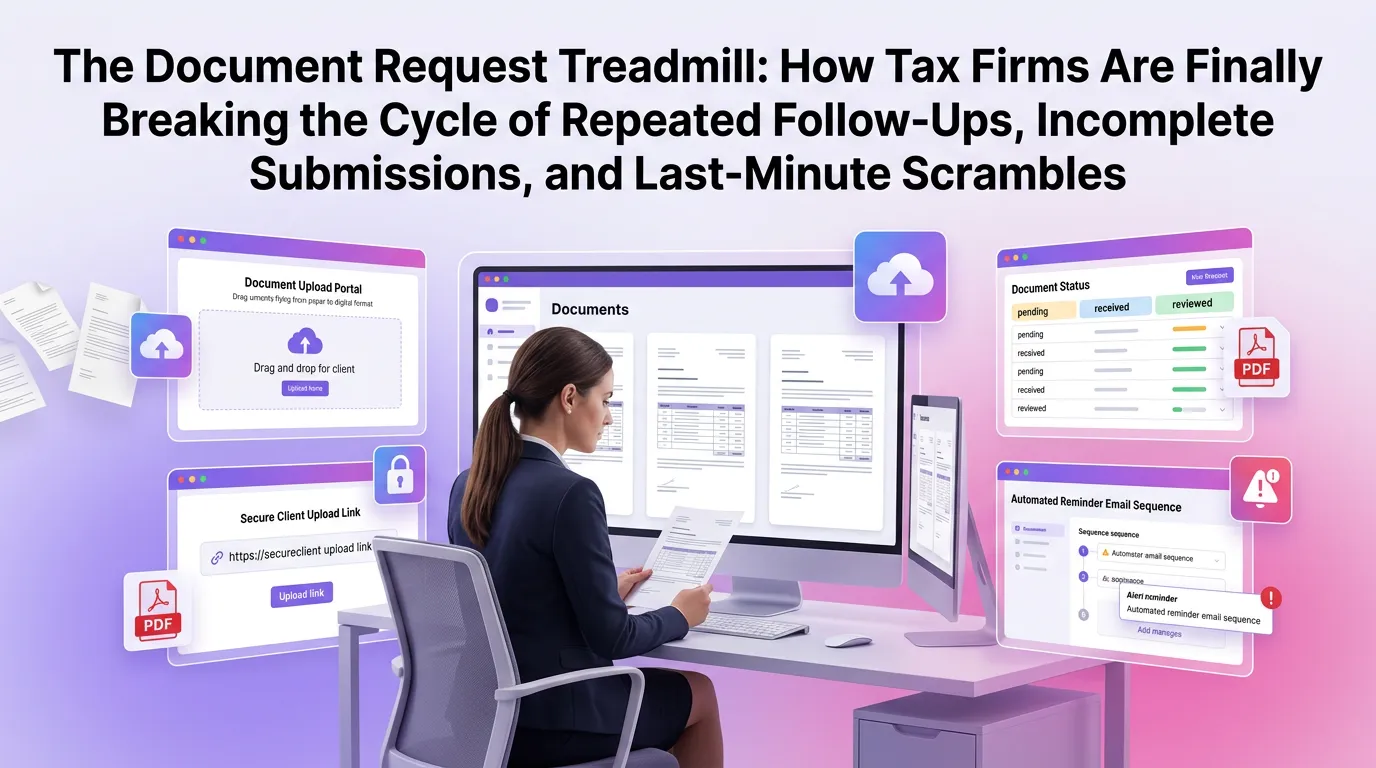
Every tax professional knows the feeling: a deadline is approaching, a client's return is sitting incomplete, and the missing W-2 or brokerage statement is somewhere in an email thread from three weeks ago. The document request treadmill is one of the most persistent — and costly — inefficiencies in modern tax practice. It drains staff time, frustrates clients, and quietly erodes the profitability of even the most well-run firms. The good news is that tax firm document collection automation is transforming how forward-thinking practices handle this challenge, replacing reactive chaos with proactive, systematic workflows.
Why the Document Collection Problem Is Worse Than You Think
Most firm leaders acknowledge that document collection is a pain point, but few have quantified just how much it costs them. Research from the AICPA's Tax Practice Management resources consistently highlights administrative overhead as one of the top barriers to firm profitability and staff satisfaction.
Consider a mid-sized tax firm handling 500 individual returns during tax season. If each return requires an average of 2.5 follow-up touchpoints to collect complete documentation, that's 1,250 manual interactions — emails, calls, portal nudges — consuming hours that could be spent on billable advisory work.
The problem compounds when you factor in the human element. Staff members context-switch constantly, losing momentum each time they pause complex work to chase down a missing 1099. Clients, meanwhile, feel pestered and disorganized, which undermines the professional image your firm works hard to build.
The Three Failure Points in Traditional Document Collection
Most firms struggle with document collection for the same three reasons, regardless of their size or software stack.
First, there's no single source of truth. Documents arrive via email attachments, physical drop-offs, client portals, and even text messages. Without a centralized intake system, staff spend significant time just locating what's already been received before they can identify what's still missing.
Second, follow-up is entirely manual and reactive. Reminders go out when someone remembers to send them, not on a predictable schedule tied to engagement milestones. This inconsistency means some clients get too many nudges while others slip through the cracks entirely.
Third, clients don't know what they owe you. A generic checklist sent in January doesn't account for the client's specific situation — a new rental property, a business sale, or a foreign account that triggers additional IRS reporting requirements like the FBAR. When clients receive irrelevant requests, they lose confidence in the process and disengage.
What Tax Firm Document Collection Automation Actually Looks Like
Automation in this context doesn't mean replacing your staff with robots. It means giving your team intelligent systems that handle the repetitive, rules-based work so they can focus on judgment-intensive tasks that genuinely require their expertise.
A modern tax firm automation platform approaches document collection as a structured workflow with defined triggers, conditions, and outcomes — not a loose collection of email templates and calendar reminders.
Personalized Document Checklists Generated Automatically
Instead of sending every client the same 30-item checklist, automation platforms can generate dynamic checklists based on each client's prior-year return data, entity type, and engagement scope. A W-2 employee with no investments gets a short, simple list. A self-employed client with rental income, foreign assets, and charitable contributions gets a comprehensive, categorized request that reflects their actual situation.
This personalization has a measurable impact on client response rates. When clients see a request that clearly reflects their circumstances, they understand what's needed and why — reducing back-and-forth clarification and increasing first-submission completeness.
Automated, Scheduled Follow-Up Sequences
The most time-consuming part of document collection isn't the initial request — it's the follow-up. Automation eliminates the mental overhead of tracking who has responded and who needs a nudge by running scheduled reminder sequences automatically.
A well-designed workflow might send an initial request 60 days before the filing deadline, a friendly reminder at 45 days, a more urgent follow-up at 30 days, and an escalation alert to the responsible staff member at 14 days. Each communication is triggered automatically based on the client's response status, not by a staff member checking a spreadsheet.
Critically, the sequence stops the moment a client submits their documents. Clients who complete their upload on day one don't receive unnecessary reminders, which protects the client relationship and reduces inbound "why do I keep getting these emails?" calls.
Real-Time Document Status Dashboards
One of the most powerful features of document collection automation is visibility. Instead of asking "where are we with the Henderson file?" during a morning huddle, managers can see at a glance which engagements are fully documented, which are partially complete, and which are stalled.
This visibility enables proactive resource allocation. If 40 returns are sitting at 90% complete with one week until the deadline, a manager can prioritize outreach for those specific clients rather than broadcasting a generic reminder to the entire client base.
The Client Experience Transformation
It's easy to focus on the internal efficiency gains of automation, but the client-facing improvements are equally significant — and often more impactful for long-term retention and referrals.
Guided Submission Portals Replace Confusing Email Chains
Modern document collection platforms provide clients with a clean, intuitive portal experience that walks them through exactly what's needed, in what format, and why. Progress indicators show how much of the checklist is complete, which motivates clients to finish rather than letting partial submissions sit idle.
Upload interfaces are designed for non-technical users. Clients can photograph documents with their phones, drag and drop files from their desktop, or connect directly to financial institutions that support automated document retrieval. The friction that causes delays is systematically removed.
Fewer Surprises at the Finish Line
One of the most frustrating experiences in tax preparation — for both staff and clients — is discovering a missing document after preparation has already begun. This forces work to stop, creates rework when the document arrives, and often pushes returns dangerously close to deadlines.
Automation solves this by enforcing document completeness checks before a return enters the preparation queue. Staff members are notified when a file is truly ready to work, not just when the client thinks they've submitted everything. This simple gate dramatically reduces mid-preparation interruptions.
How Automation Integrates With Your Existing Tax Workflow
A common concern among firm leaders is whether document collection automation will require a wholesale replacement of existing systems. In most cases, the answer is no. Leading platforms are designed to integrate with the tools firms already use.
Connecting With Tax Preparation Software
Document collection platforms can sync with major tax preparation applications, automatically routing received documents to the correct client file and flagging which items remain outstanding. This eliminates the manual step of cross-referencing a portal checklist against a tax software organizer.
Integration also enables automatic status updates. When a return moves from "in progress" to "awaiting client review," the document collection workflow can automatically trigger the next communication in the sequence without any manual intervention.
Practice Management and CRM Alignment
For firms using practice management software, document collection automation can feed real-time status data into project timelines, capacity planning tools, and client communication logs. This creates a single, accurate picture of where every engagement stands — a significant upgrade over maintaining parallel tracking systems in spreadsheets.
The Journal of Accountancy has highlighted technology integration as a key driver of tax practice efficiency, noting that firms achieving the greatest productivity gains are those that connect their tools rather than running them in isolation.
Measuring the ROI of Document Collection Automation
For firm leaders evaluating whether to invest in automation, the return on investment calculation is more straightforward than it might appear.
Time Savings Translate Directly to Capacity
If your firm processes 500 returns and automation reduces the average number of manual follow-up touchpoints from 2.5 to 0.5 per return, you've eliminated 1,000 manual interactions per season. At even a conservative estimate of 10 minutes per interaction, that's over 160 hours recaptured — the equivalent of more than four weeks of full-time staff capacity.
That capacity can be redeployed toward advisory services, business development, or simply reducing the overtime burden that drives staff burnout and turnover during peak season.
Reduced Errors and Penalty Exposure
Incomplete or late filings create real financial exposure for both clients and firms. The IRS failure-to-file penalty is 5% of unpaid taxes per month, up to 25% — a significant cost that automation helps prevent by ensuring documents are collected in time to meet deadlines without last-minute scrambles.
Beyond penalties, errors caused by working from incomplete information are a leading source of amended returns and professional liability exposure. Systematic document completeness verification reduces this risk at scale.
Getting Started With Tax Firm Document Collection Automation
Implementing automation doesn't have to be a multi-month IT project. Modern platforms are designed for rapid deployment, with template libraries, guided onboarding, and pre-built integrations that allow firms to go live in days rather than months.
The most successful implementations start with a clear understanding of the current workflow — mapping exactly where documents enter the process, where they stall, and what triggers the most manual intervention. This diagnostic work makes it straightforward to configure automation rules that address the firm's specific pain points rather than applying a generic solution.
If you're ready to move beyond spreadsheets and email chains, explore our blog for additional guides on optimizing every stage of the tax workflow, from onboarding to final delivery.
Frequently Asked Questions
What is tax firm document collection automation?
Tax firm document collection automation refers to software-driven workflows that replace manual document requests, follow-ups, and tracking with automated systems. These platforms send personalized checklists, schedule reminder sequences, and provide real-time visibility into document status — all without requiring staff to manually manage each client interaction.
How does automated document collection improve client satisfaction?
Automation improves the client experience by providing clear, personalized document requests through intuitive portals, eliminating repetitive reminder emails once documents are submitted, and reducing the last-minute scrambles that create stress for both clients and staff. Clients appreciate organized, professional communication that reflects their specific situation rather than generic mass emails.
Will document collection automation work with my existing tax software?
Most modern document collection platforms are designed to integrate with leading tax preparation and practice management software. Integration capabilities vary by platform, so it's important to confirm compatibility during the evaluation process. TaxFlow, for example, is built to connect with the tools firms already rely on, minimizing disruption during implementation.
How long does it take to implement a document collection automation system?
Implementation timelines vary depending on firm size and complexity, but many firms are fully operational within one to two weeks. Cloud-based platforms with pre-built templates and guided onboarding significantly reduce the setup time compared to traditional enterprise software deployments.
Is client data secure in a document collection platform?
Reputable document collection platforms employ bank-level encryption, role-based access controls, and compliance frameworks aligned with IRS data security requirements and applicable state regulations. When evaluating platforms, firms should look for SOC 2 compliance, data residency options, and clear policies on data retention and deletion.
Ready to Step Off the Treadmill?
The document request treadmill isn't an inevitable part of running a tax firm — it's a workflow problem with a proven solution. Firms that have implemented structured automation report faster turnaround times, fewer missed deadlines, higher client satisfaction scores, and meaningfully less staff burnout during peak season.
MultidexTech's TaxFlow platform is purpose-built to help tax firms eliminate the inefficiencies that drain time and erode margins. From intelligent, personalized document checklists to automated follow-up sequences and real-time status dashboards, TaxFlow gives your team the infrastructure to work smarter — not just harder.
See the difference for yourself with no risk. Start your free trial today and experience 14 days of full platform access, complimentary onboarding support, and the clarity that comes from finally having your document workflow under control. Or, if you're ready to explore plans and pricing, view our pricing plans to find the right fit for your firm's size and needs.
Related Posts
The Document Collection Upgrade: How Tax Firms Are Replacing Scattered Files, Missed Requests, and Manual Tracking With One Centralized System
11 min read
The Document Request Treadmill: How Tax Firms Are Breaking the Back-and-Forth Cycle That Kills Productivity
12 min read

The Document Collection Playbook: How Growing Tax Firms Are Cutting Client Intake Time in Half Without Sacrificing Accuracy
13 min read